
Safe Merge
Combine two folders into a new result while keeping different versions of the same file.
€2.99 one-time purchase
Windows 11 24H2 or later · x64
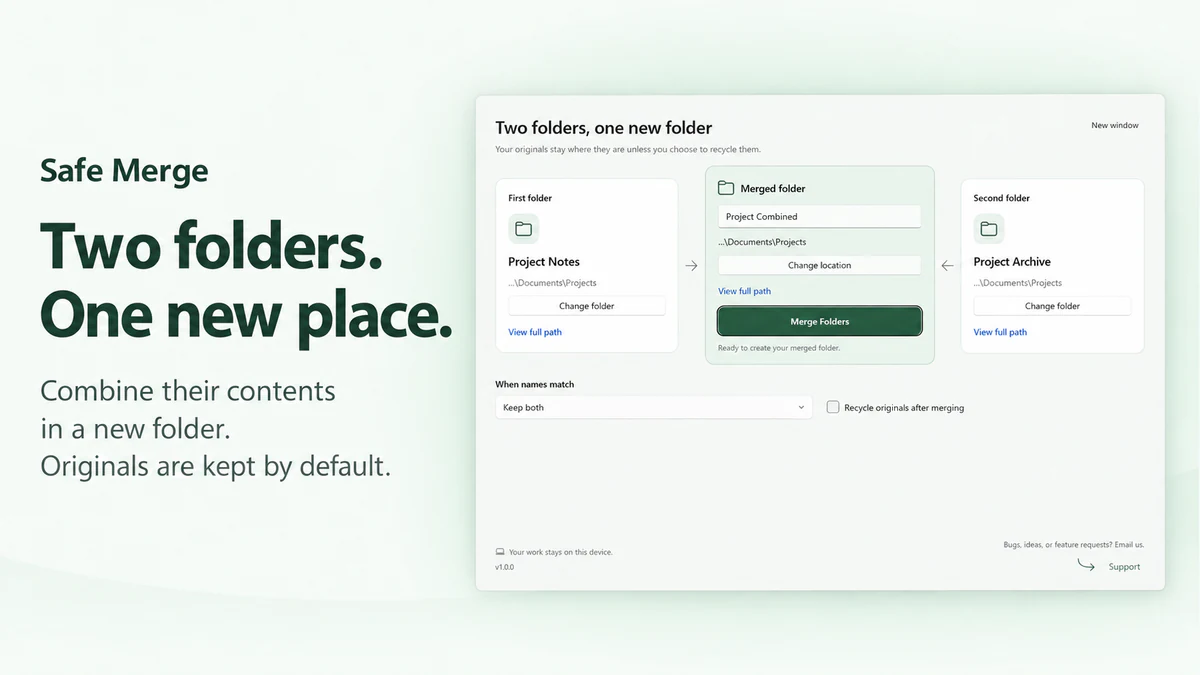
Build a separate result
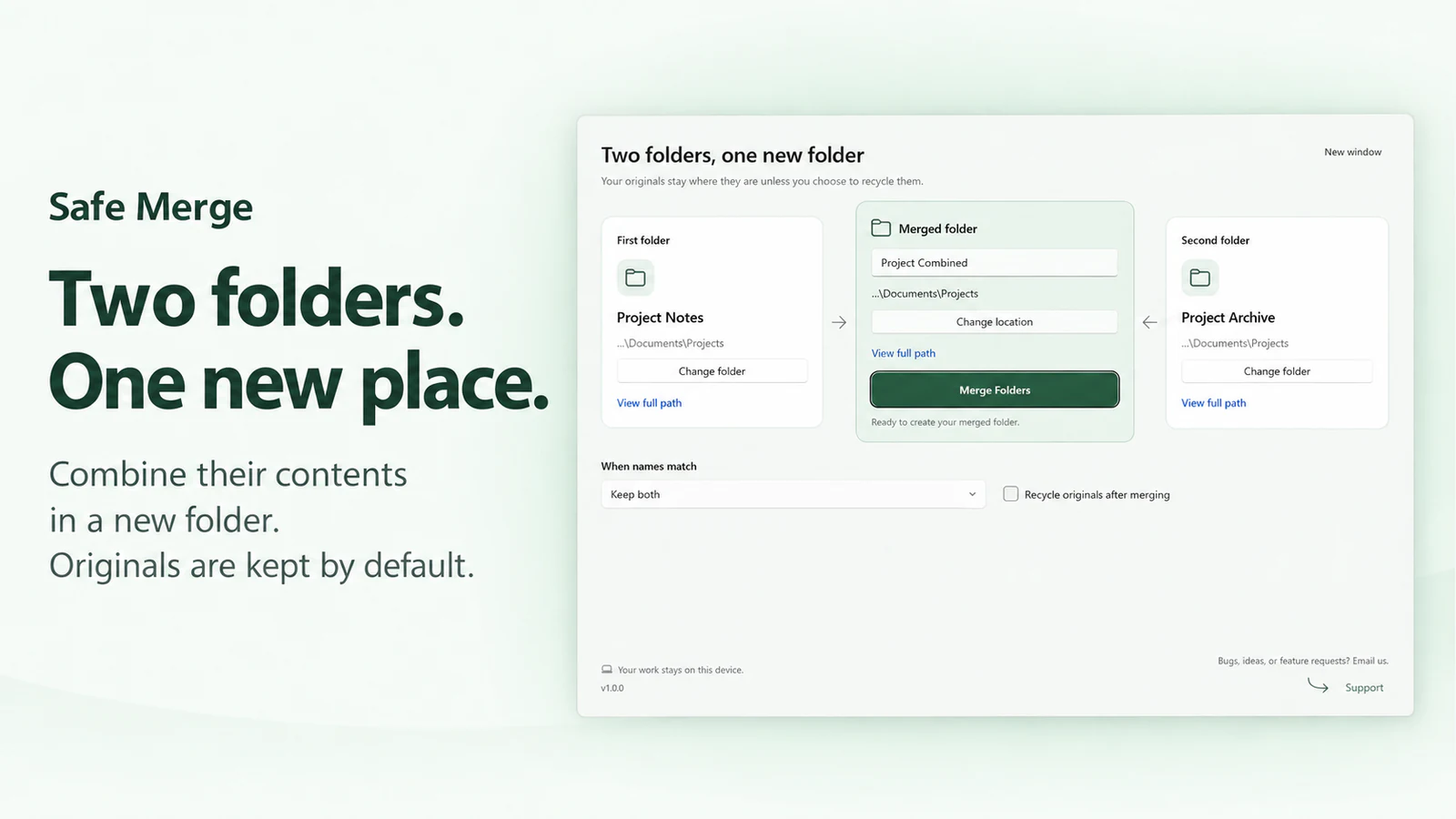
Choose two source folders and a parent for the new result. The result is independently writable.
Make conflicts explicit
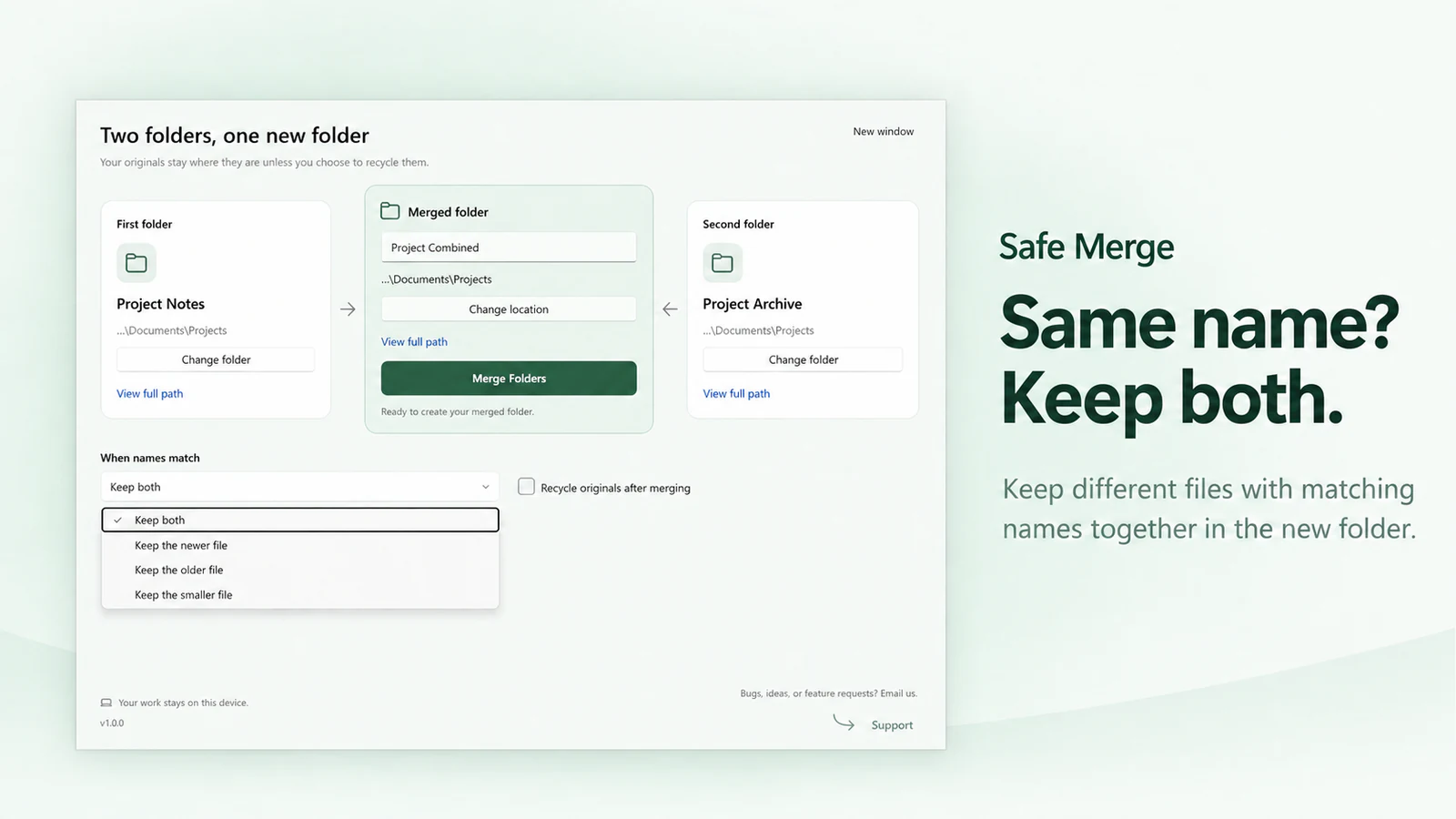
Keep both is the default. Other supported policies choose by modification time or size; ties keep both.
Review before cleaning up
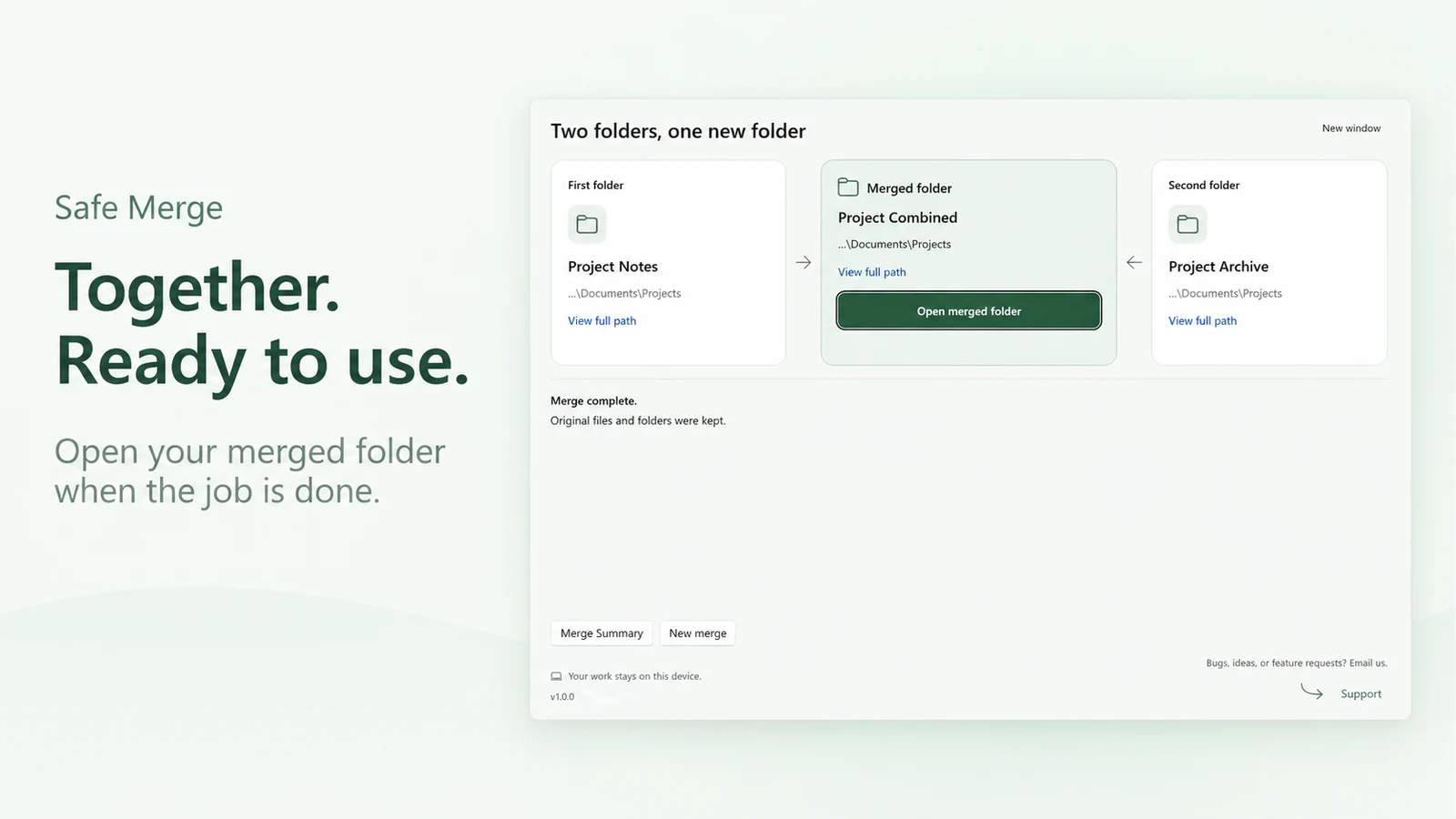
Check the result and Merge Summary. Recycling originals is a separate, explicitly selected option with item-level safety checks.
Before you choose
- This is a two-folder merge on supported local NTFS storage, not continuous synchronization or a backup service. Cloud and network folders are excluded.
- Same-name handling compares matching relative paths. Equivalent files can share one output copy; different versions are kept separately with Keep both. This is not a global duplicate finder.
- Optional recycling can leave items at source or in a recovery location when checks cannot complete. Read the actual result before assuming cleanup finished.
See Safe Merge
 Safe Merge
Combine two folders into a new result while keeping different versions of the same file.
€2.99 one-time purchase Your Store region determines the final price.
Version 1.0.0
There is no standalone EXE for this app.
Your first merge
- Choose the first and second source folders, then choose the parent and name for a new result.
- Leave Keep both selected and leave Recycle originals after merging unchecked for your first merge.
- Run Merge Folders. Open the result and review Merge Summary, especially any skipped or incomplete items.
More about Safe Merge
Features and working limits
- Build a separate result: Choose two source folders and a parent for the new result. The result is independently writable.
- Make conflicts explicit: Keep both is the default. Other supported policies choose by modification time or size; ties keep both.
- Review before cleaning up: Check the result and Merge Summary. Recycling originals is a separate, explicitly selected option with item-level safety checks.
- This is a two-folder merge on supported local NTFS storage, not continuous synchronization or a backup service. Cloud and network folders are excluded.
- Same-name handling compares matching relative paths. Equivalent files can share one output copy; different versions are kept separately with Keep both. This is not a global duplicate finder.
- Optional recycling can leave items at source or in a recovery location when checks cannot complete. Read the actual result before assuming cleanup finished.
Local data and network use
- Source files are read and the result is generated on supported local storage.
- Originals remain by default. A selected conflict policy can leave a different, omitted variant at its source.
- Necessary recovery records are kept separately from disposable application storage. The current interface does not provide a general history or Restore screen.
- Microsoft Store services check entitlement and updates.
- Opening Support or the Store page uses those external services. The merge itself does not upload files.
System requirements
Windows 11 version 24H2 (build 26100) or later; x64; supported local fixed or removable NTFS storage.