
Desktop automation

Version 2.0.1 - Windows 10/11 - x64

Osenpa Auto Clicker

Repeat a click, record an editable macro or build a supervised workflow that can react to visible images, colors, numbers and sounds without sending the task to a cloud service.

No account required

Good fit for: Windows users who need more than a timed click and want to build visible Windows workflows without writing a script.
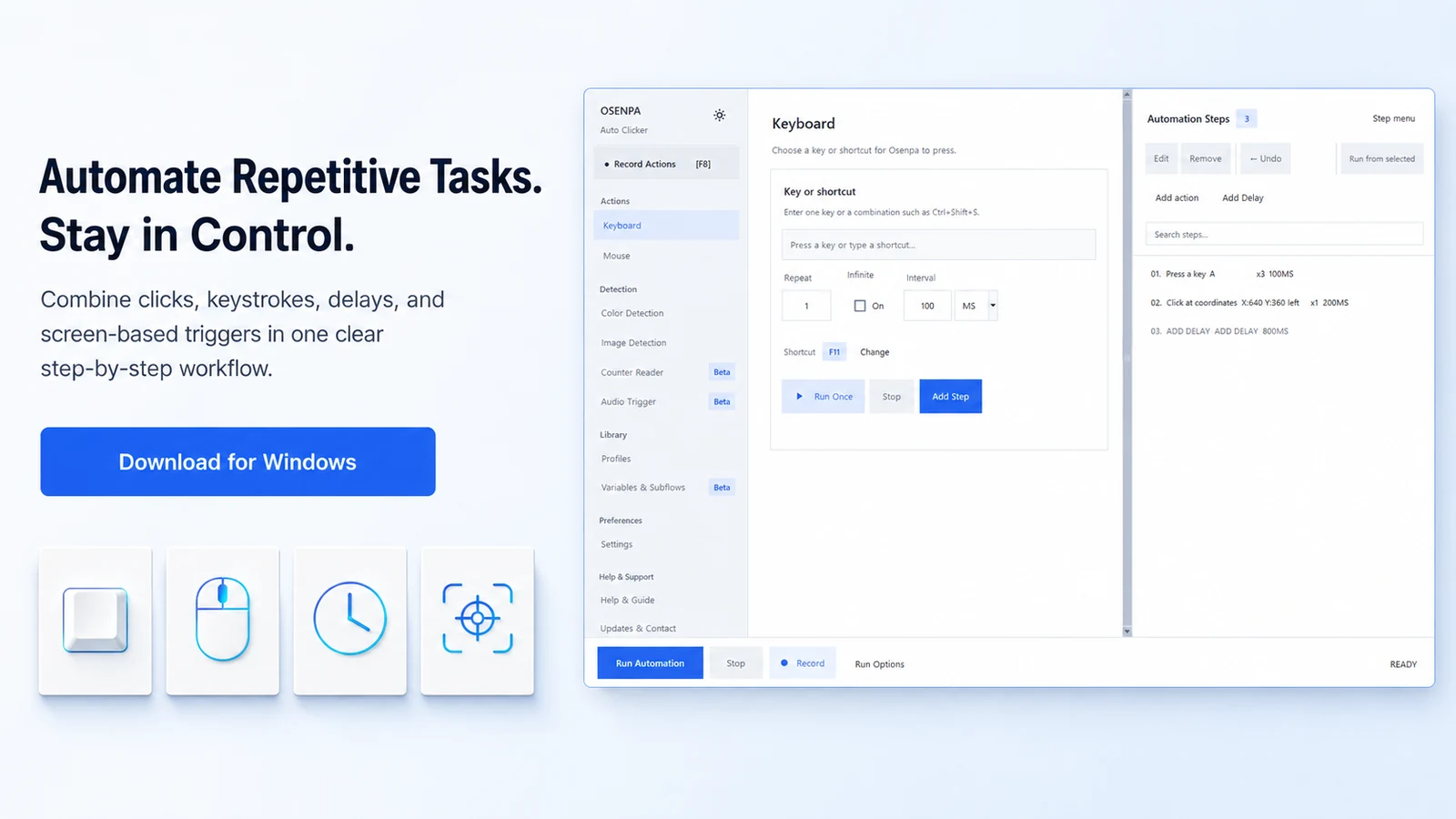
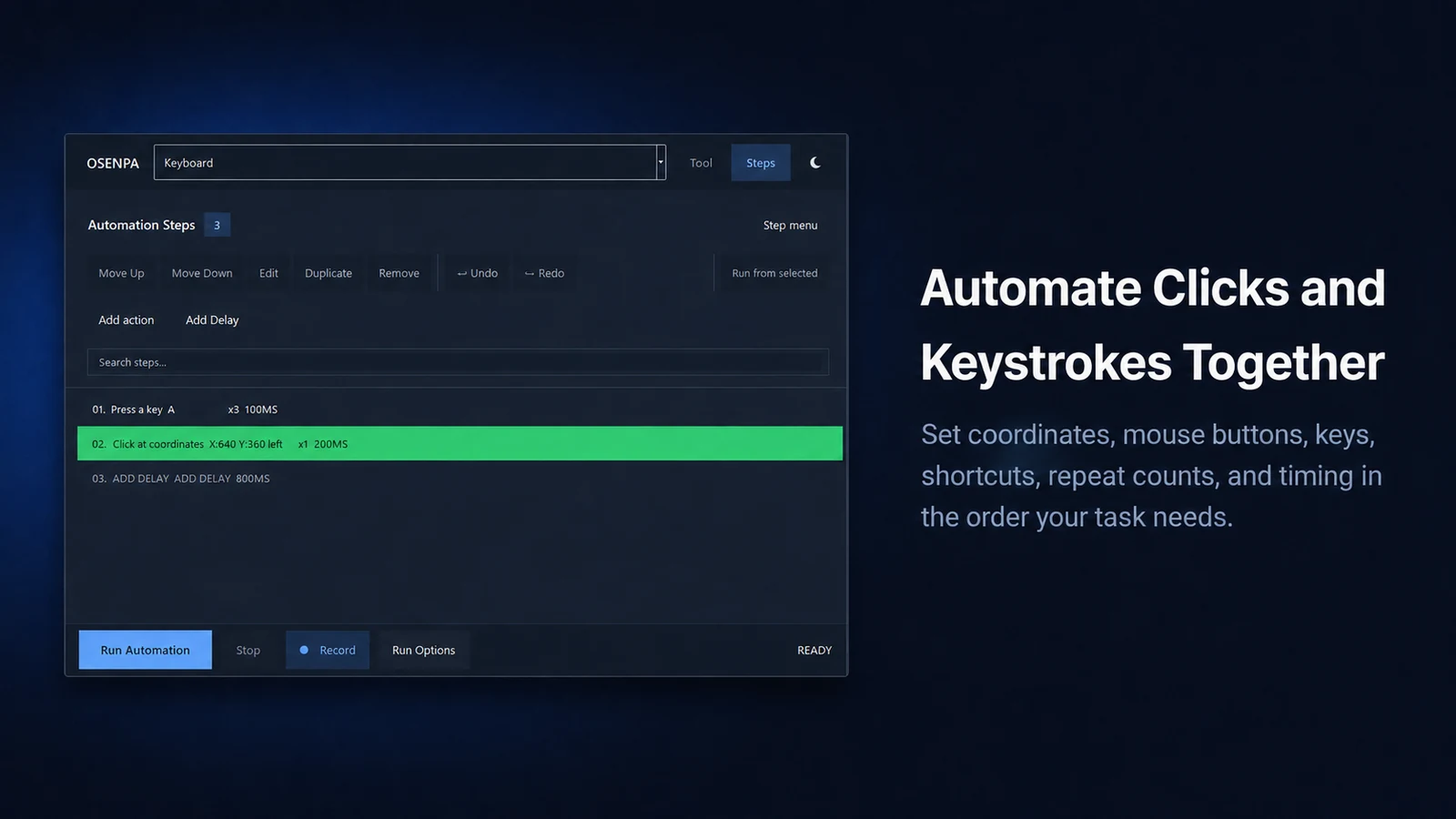
Osenpa Auto Clicker workflow with recorded mouse and keyboard steps

Product visualThese previews show the main automation tools. Feature details and limits are explained below.

Decision summary

Choose a clicker or macro workflow that matches the task

Start with one repeated click when timing is enough. Add recorded steps, visible conditions, reusable subflows or scheduling only when the task actually needs them.

Repeat mouse actions

Set the button, position, interval and repeat behavior for a supervised click task.

Record and edit a macro

Capture mouse and keyboard input, then reorder and refine the visible steps before replay.

Branch on the screen

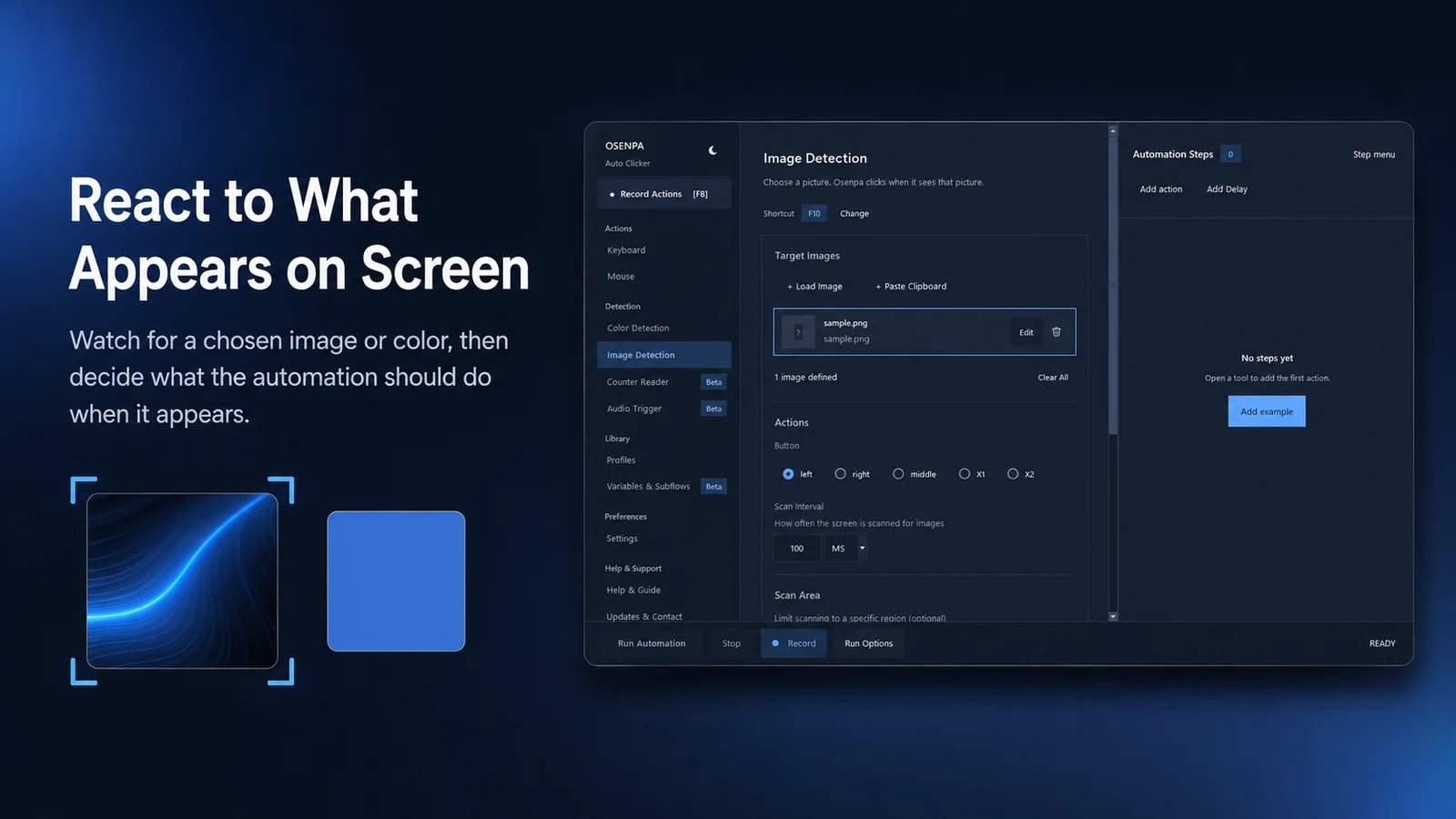
Wait for an image to appear or disappear, check one or more colors, or choose between THEN and ELSE actions.

Reuse workflows you have tested

Save local profiles, move one profile in a single .osenpaprofile file, transfer complete workflows as JSON, and schedule a workflow while the app remains running.

Read a number on screen BETA

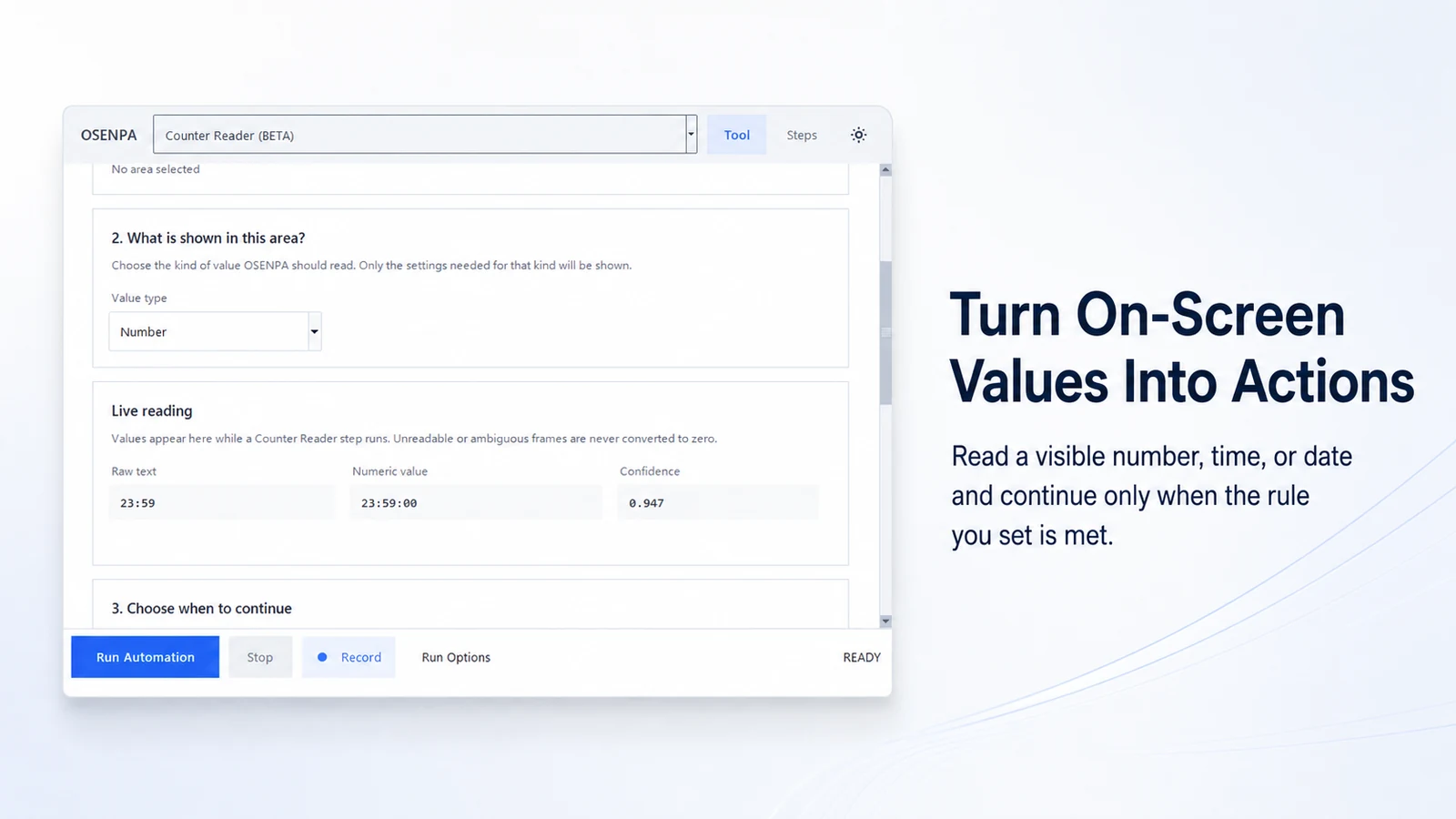
Use local OCR to read a visible number, time or date, then compare it with the rule you set. Unreadable text does not become a made-up value.

React to a sound BETA

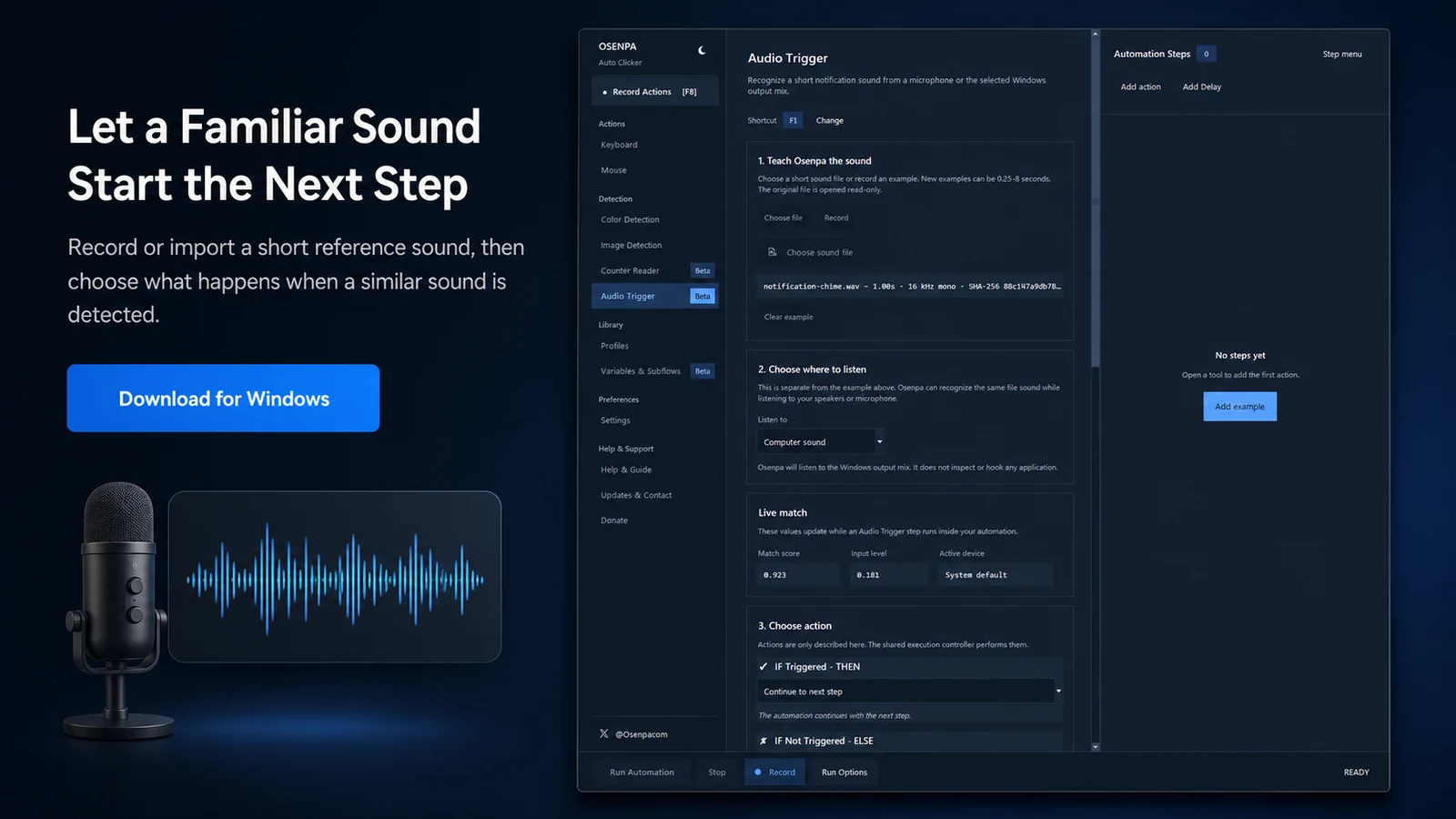
Learn a short reference sound, listen through computer audio or a microphone and run the chosen branch after a local match.

Reuse variables and subflows BETA

Store typed text, numbers or coordinates and pass checked values into reusable blocks of steps.

Review before repetition

Search, name, reorder, duplicate, disable or run selected steps, with undo and redo for document changes.

Before you choose

Who this app fits

Good fit when

Choose it for visible, repeatable desktop input that a person can test, watch and stop immediately. F7 is the changeable default Run and Stop key; F12 is the reserved Emergency Stop key.

Choose another tool when

Choose a scripting or robotic process automation (RPA) platform when you need background control, APIs, application connectors, unattended execution or complex data processing.

Important limits

  • It sends regular input to the active desktop; it is not background or unattended automation.
  • Minimized windows, Secure Desktop and protected content are not reliable screen sources. Windows can block input to an elevated target unless the app is also elevated.
  • Image, color and OCR checks depend on the visible pixels, search area, display scale, theme, layout and selected tolerances.
  • Schedules require the app to remain running.

System requirements

  • Windows 10 build 19041 or later, or Windows 11.
  • x64 processor and an interactive desktop session.
  • The target application must accept regular visible mouse and keyboard input.
Choose by need

Choose the smallest automation approach that fits

Scroll the table horizontally on a narrow screen.

Approach Good fit Important boundary
Basic auto clicker One repeated click at a stable interval Little or no workflow logic
Osenpa Auto Clicker Supervised macros with visual, number and sound conditions Active desktop input only
Full RPA platform Recorded flows, UI-element selectors and broader process automation A separate platform with its own workflow model
Scripting tool Custom logic that a developer will maintain Requires code and its own test coverage
Workflow and data behavior

What happens from input to result

What is current in 2.0.1Version 2.0.1 adds single-file profile transfer and fixes an intermittent Image Detection crash and clipped BETA dialog text.
  • Import or export one profile as a single .osenpaprofile file.
  • All Panels profiles now preserve Steps, Run Options, variables, subflows, profile parameters, detector settings, and Record Actions choices. They also preserve the current tool, selected steps, and the selected image target.
  • Fixed an intermittent crash that could occur when the app returned from an Image Detection scan after it finished or was stopped. BETA information dialogs no longer clip text.
  • Reset All now removes saved settings, steps, profiles, and session data. Export any profile you want to keep before resetting.

Product facts and standalone file verified August 30, 2026.

What BETA means hereCounter Reader, Audio Trigger, and Variables & Subflows work, but their BETA label means you should test them carefully before using them for important tasks.
  • Counter Reader uses local OCR for visible numbers, times and dates, with comparison, confidence and stability settings. It requires a verified local model before first use. Test it with harmless screen values before relying on a rule.
  • Audio Trigger compares a 0.25 to 8 second reference with computer audio or microphone input. Reference files can be WAV, MP3, M4A or FLAC up to 32 MiB. Device changes and background noise can affect a match.
  • Variables & Subflows checks types and call chains before a run, including missing values, wrong argument types and direct or indirect recursion.
Recording, screen checks, and saved workflow filesChoose what is captured, where a condition looks and what an imported document is allowed to replace.
  • The recorder can watch all applications or one exact selected window. If that window disappears, recording fails instead of switching to another window with a similar title.
  • Conditions can observe the full screen, one monitor, one visible selected window or a selected rectangle. Select the smallest rectangle that contains the target and excludes nearby elements.
  • A selected-window condition observes visible pixels. It is not an offscreen or minimized-window control method, even if focus is currently elsewhere.
  • JSON carries the complete editable workflow. CSV and TXT are readable summaries. A damaged, unsupported, unsafe or oversized import is rejected without replacing the open work.
Run controls, schedules and Input VariationRepetition remains under the app's active-desktop and safety controls.
  • Repeat the whole workflow a set number of times or continuously, add a delay between runs, choose a starting step and decide what a failed step should do.
  • Schedule one local time or repeat at an interval up to seven days. The app must stay open, and a schedule is skipped while another input-producing task owns the keyboard and mouse.
  • Input Variation is off by default. Its adjustable bounds are 0 to 25 pixels for a click or drag radius, -1 to 1 second for delay jitter, 0 to 1 second for action interval or key hold, and 0.1 to 3 for movement scale.
  • Use it when consecutive runs should not repeat the exact same timing and verified click position. It makes regular input less uniform within the limits you choose, but cannot predict how a website or service will classify automation.
  • Variation never changes which visual target is chosen. An image click stays inside the verified match, and a one-pixel color target is not moved.
Build and test one automationRecord one safe run before adding loops or a schedule.

Define the task

Record the starting state, actions, expected result and safe stop condition.

Build and review one run

Use the recorder or individual steps, then remove accidental input and test once.

Add repetition last

Introduce a loop or schedule only after the single supervised run succeeds.

Installed automation runs without internetRecorded tasks, screen checks, OCR, and sound matching run without internet. Update checks and an OCR model download are separate.

Stays on your PC

  • Profiles, templates and workflow definitions are stored on the PC.
  • Recorded actions, visual checks, OCR and sound matching run locally against the interactive desktop and chosen audio device.
  • Documents, profiles, variables and subflows stay in local app storage unless you explicitly export a file.

Network actions and external links

  • Store, download, support and donation links open only when selected.
  • The app checks a restricted Osenpa version feed. It does not let that feed choose a download or browser address.
  • Counter Reader downloads and verifies its OCR model only when the model is missing and you start setup. Screenshots and recognized text are never uploaded. Supporter names come from the last validated local cache.

Reset All permanently removes saved settings, steps, profiles, and session data. Export any profile you want to keep before resetting.

See the portfolio-level explanation in Network & data.

Product tour

See the automation workflow

These previews show the main parts of an automation workflow. The sections below explain how each feature works and where its limits are.
6 product visualsSwipe, scroll or use the arrow keys.

1/6
  1. Osenpa Auto Clicker workflow with recorded mouse and keyboard steps
    Product visualBuild a reusable sequence instead of repeating the same desktop work by hand.
  2. Mouse and keyboard action list in Osenpa Auto Clicker
    Product visualPlace clicks, typing and key presses in the order the routine should run.
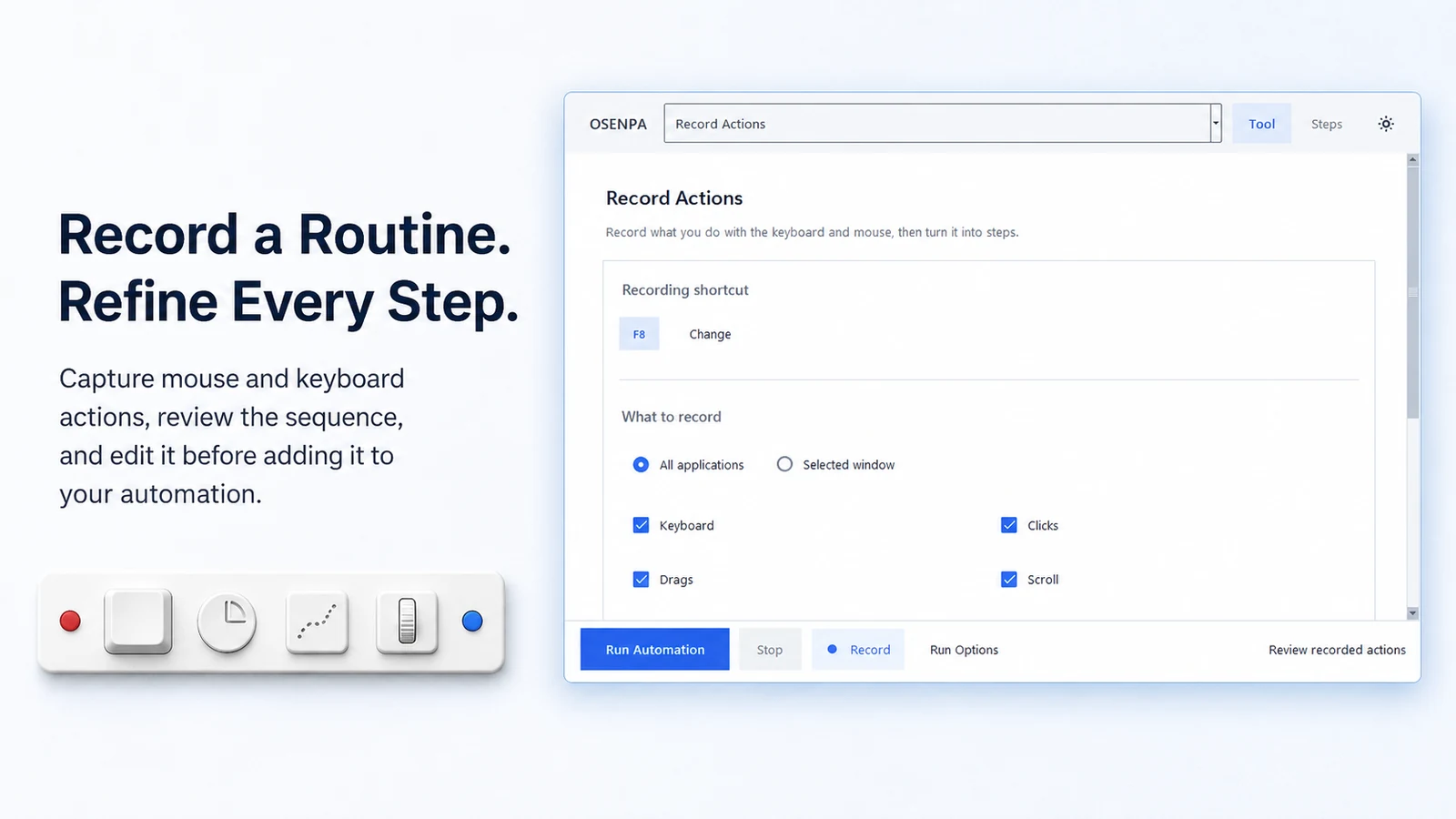
  3. Action recorder in Osenpa Auto Clicker
    Product visualRecord a routine, then review and refine each captured step.
  4. Image detection controls in Osenpa Auto Clicker
    Product visualWait for visible screen conditions before the next step runs.
  5. Counter Reader settings in Osenpa Auto Clicker
    Product visualManage hotkeys, saved profiles and scheduled runs in one control panel.
  6. Audio Trigger settings in Osenpa Auto Clicker
    Product visualReview the focused Windows automation workflow and its main controls.
Official downloads

Download Auto Clicker

For Auto Clicker, the Microsoft Store provides the recommended install and update route. A standalone EXE and file-check details follow below.

System: Auto Clicker requires x64 Windows 10 version 2004 (build 19041) or later, including Windows 11

Latest: 2.0.1Product facts and standalone file verified August 30, 2026
Standalone EXEAdvanced install, checksum and backup sources

Alternative install

Standalone EXE

Direct download for Windows

Download EXE

Windows SmartScreen checks publisher and reputation information for downloaded EXE files. If Windows shows a notice, confirm that you used the download link on this page before continuing. Understand Windows download notices.

Verify the exact file

Verified standalone file

File: OsenpaAutoClicker_2.0.1_x64.exe

Size: 120,884,022 bytes (115.28 MiB)

Authenticode: Not signed

SHA-256
115eaa98318afa4821dd9c4f54809ae59af13583aa73622d0c5add68fdd28d32

Verified August 30, 2026 with two local hashing tools. A match confirms identical bytes; it does not add a publisher signature or guarantee that a file is safe.

View this SHA-256 on VirusTotal

Download the file from an official link, then compare its name, size, and SHA-256 with the values above. The illustrated SHA-256 guide shows every step.

Backup links

Use the primary link above first. These sources provide the same verified release file.

Straight answers

Frequently asked questions

Can Osenpa Auto Clicker record mouse and keyboard actions?

Yes. It can record keys, clicks, Mouse 4 and Mouse 5, drag, vertical or horizontal scroll and optional pointer movement. You can review, edit, reorder or remove captured steps before replay. Typed text can be merged or redacted; redacted text cannot be replayed.

Does it support image detection?

Yes. It can look for one or more image targets at an exact or selected range of scales, with appearance, outline or hybrid matching. It can wait for appearance or disappearance and choose a THEN or ELSE branch. Results still depend on visible pixels, display scale, theme, animation and the search area.

Can it click in the background?

No. Osenpa Auto Clicker sends real input to the active desktop. It does not provide background API control or unattended RPA.

What hotkey starts and stops a workflow?

F7 is the default Run and Stop hotkey and can be changed. F12 is permanently reserved for Emergency Stop, which also releases held keys and mouse buttons.

Can a schedule run after the app is closed?

No. The app must remain running for a scheduled workflow to start.

Does it support loops and reusable profiles?

Yes. Profiles can cover all tools or one chosen tool, and you can import or export one profile as a single .osenpaprofile file. An All Panels profile preserves Steps, Run Options, variables, subflows, profile parameters, detector settings, Record Actions choices, the current tool, selected steps, and the selected image target. Selected-window target details are not carried with the file, so select the window again after loading that profile. A workflow can also use loops and complete JSON import or export. Variables & Subflows is labeled BETA.

What does Input Variation change?

Input Variation lets you make repeated input less uniform within limits you choose. It is off by default. When enabled, it can add small timing or coordinate changes without altering target selection, OCR, sound matching, safety checks or timeouts. The result varies timing or coordinates within your bounds. It does not hide automation, defeat detection or bypass a service rule.

What does BETA mean for the new tools?

Counter Reader, Audio Trigger, and Variables & Subflows are implemented features with an early-maturity label. Test them with harmless data and keep important automation supervised, especially when OCR quality, audio devices or changing screen content can affect the result.