
On this page
Before you start
- Osenpa Clipboard Manager 2.0.4 with monitoring active.
- A short passage you want to reuse and a document where you can test pasting it.
Follow these steps
Copy the text you want to keep
Copy a short passage from a document or webpage. Open Osenpa Clipboard with Alt+V and find its card on the Clipboard tab. This example uses “Sleep is crucial for college students’ well-being.” from a published sleep study.
Save it to Favorites
Right-click the text, open Add to Favorites and choose Work. This saves a separate favorite containing the copied text. If it is already in that category, open Favorites to find it.
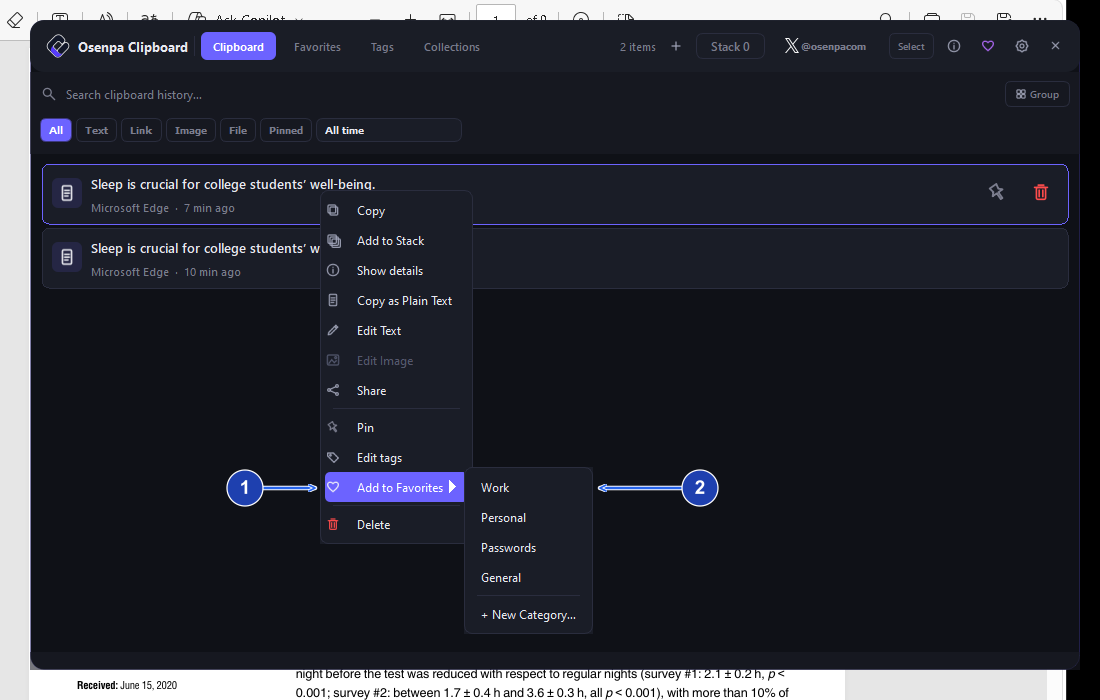
Choose the category where you want to keep this text. Enlarge image. - Open Add to Favorites.
- Choose the Work category.
Give the card a useful title
Open Favorites and choose Work. Right-click the saved card and choose Rename Title. Enter a short label, such as Sleep study excerpt, and save it. The label does not replace the text you will paste.
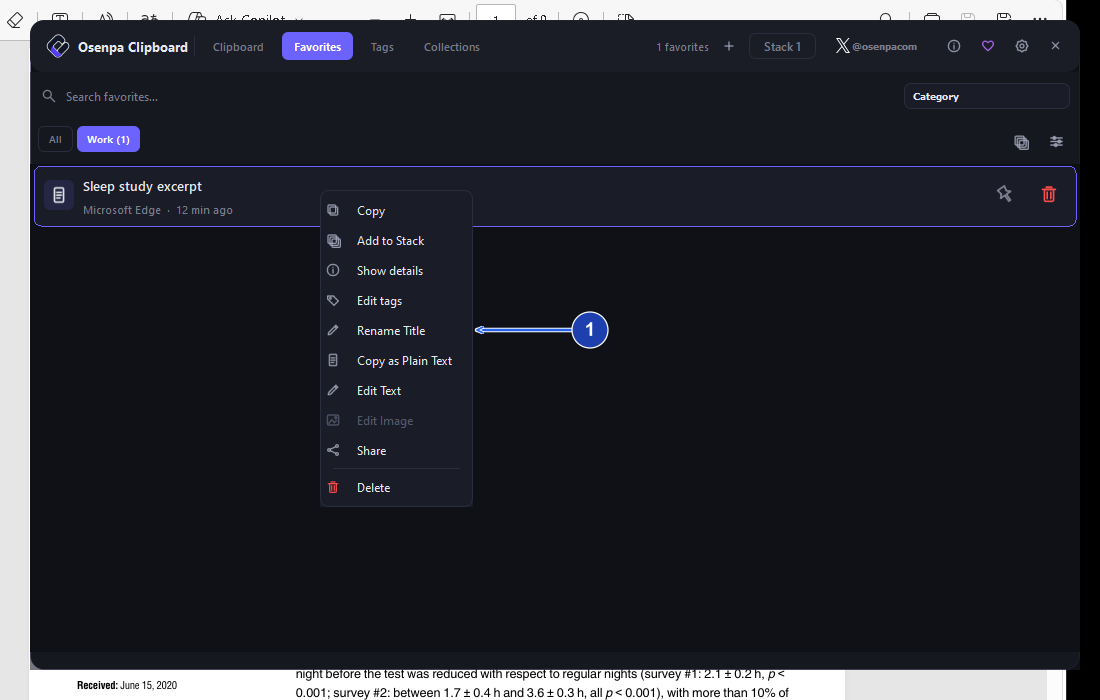
Rename Title changes the card label, not the text it copies. Enlarge image. - Choose Rename Title to give the saved text a short label.
Check the saved favorite
Find the new title in Work. If it is missing, clear Search favorites and choose All to check the other categories.
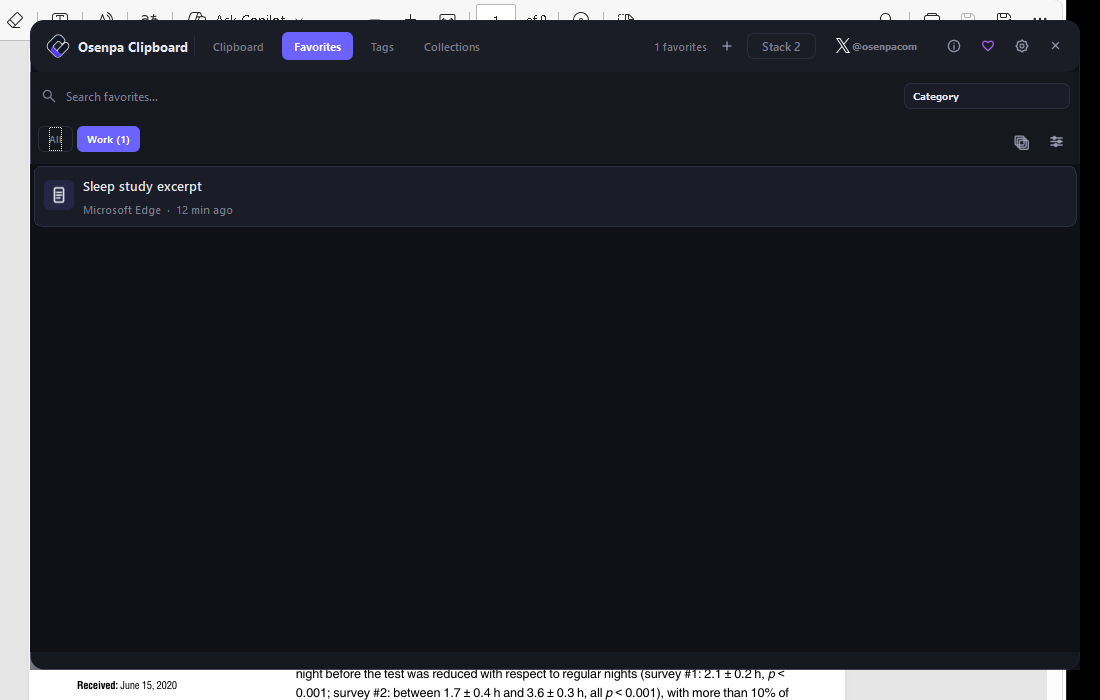
Use the short title to find the saved text again. Enlarge image. Copy the saved text
Click the favorite card. Return to a blank line in your document and press Ctrl+V. Check that the full passage appears, rather than the short title.
Find it again later
After copying something else, return to Favorites. Choose Work or use Search favorites to find the saved text.
Check your result
- The short title identifies the favorite, while pasting produces the complete copied text.
- The favorite remains available after you copy something else.
If you need more help
Keep a reply you use often
Regular history is useful for recent copies. Favorites keep saved items through routine history cleanup, and categories make a small collection easier to browse.
Use a short title that tells you when the text is useful. Rename Title changes the label only, so copy and check the content when a reply needs different wording.
Need the app?
Osenpa Clipboard Manager. Check requirements and download options.