
Short answer
Counter Reader uses optical character recognition (OCR) to read a visible number, time, or date. A rule can then compare that value with the one you set.
For a first test, show 8 in a plain text window, then compare it with a threshold of 10. Test both a match and a non-match before you connect a click or another action.
This guide covers Osenpa Auto Clicker. Check requirements and download options before you begin.
On this page
Counter Reader is labeled BETA
OCR can misread small, blurred, decorative or changing text. Use harmless test data and supervise important workflows. Unreadable text is reported as unreadable; it does not become zero or an invented date.
What you need
Install the local Counter Reader OCR component from Settings before this test. It is about 20.3 MiB. After it is installed, screen reading and rule matching run on this PC. Prepare a harmless test window that can show a large black number on a plain background. Save any existing workflow before adding this practice condition, and keep the test window visible throughout the scan.
Create a number-based condition
-
1. Identify the visible value
Show a large
8in the test window. Keep labels, icons and other numbers outside the value you plan to read. -
2. Select a small screen area
Open Counter Reader. Choose a rectangle around only the 8. You should see a selected area instead of No area selected.
-
3. Read the number
Choose Number. Open Show advanced settings and set Wait mode to Scan once. Keep both branch actions at Continue to next step, then choose Run in Counter Reader. Live reading should show 8 as the raw and numeric value after the scan. If it is wrong, adjust the area and contrast before trying again. Merely selecting an area does not start OCR.
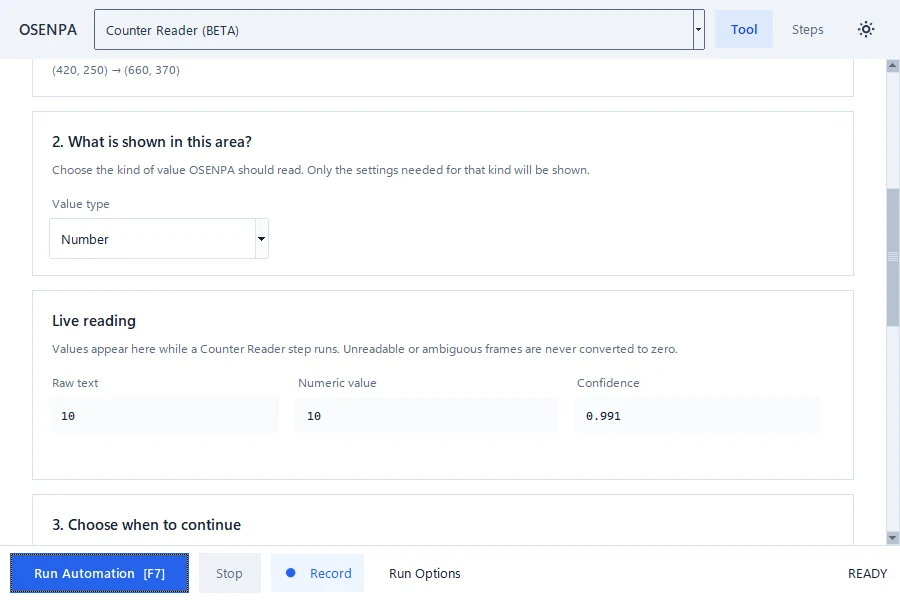
Check the live reading before you build a rule. The raw text and numeric value should describe the same number. -
4. Build the comparison
Choose is at least and enter 10. Run another harmless scan to confirm that the visible 8 does not match; editing the rule alone does not take a new reading.
-
5. Add a finite timeout
Under advanced settings, choose Wait until timeout and a short Timeout (seconds). Set THEN to Wait (delay) and ELSE to Stop automation. Keep Trigger mode at Once. A finite timeout lets you see what happens when 10 never appears.
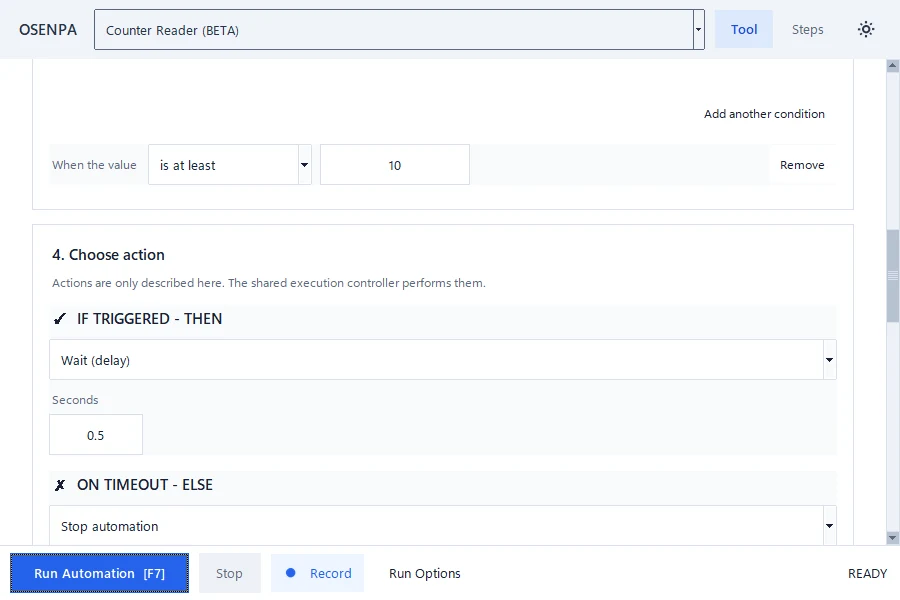
Set the comparison and a finite timeout only after the live reading is correct. -
6. Test the match
Change the visible number to 10. Run the condition. You should see 10 in the live reading and the THEN action should run.
-
7. Test non-match and unreadable states
Change the value back to 8. The timeout should end in ELSE. Then replace the number with
ABC. The app should report an unreadable value instead of treating it as zero. Keep F12 available as the permanent Emergency Stop. If no valid reading is obtained before timeout, no branch action should run; an unreadable test is different from a valid 8 that takes the no-match path.
Advanced value and reading controlsTime, date, several rules and repeated reads.
Counter Reader can also interpret Time, Date or Date and Time. For numbers, confirm decimal and thousands separators. For time or date, choose the visible format, language and time zone so an ambiguous date is not read in the wrong order.
Comparisons include less than, less than or equal, equal, not equal, greater than or equal, greater than, between and outside. With several rules, choose whether every rule or any one rule must match.
Start with automatic preprocessing. Agreement and stability can require the same result across several reads. This takes longer but reduces action on one bad frame. Scan once checks once. Wait until timeout has a finite ELSE result; Monitor continuously until stopped has no finite timeout.
Checkpoint: read three known states
Pause before attaching a click. Confirm one matching value, one non-matching value and one unreadable sample. Continue only if the three states stay distinct across repeated scans.
Local model and privacy detailsWhat downloads and what stays on the PC.
- Counter Reader needs a local OCR model before first use.
- The model is downloaded only from an allowed official source or pinned package fallback and is checked against its expected SHA-256 value.
- Screen images and recognized values are processed locally and are not uploaded for OCR.
- An update check and a requested OCR model download are separate network actions from the automation itself.
- Input Variation does not change OCR values, match decisions, scan timing or cooldown. It can occasionally add a short pause after a completed action; your keys, text and click positions stay the same.
If the value is wrong or unreadable
Stop with F12 and return to Scan once with both branch actions at Continue to next step. Confirm the local OCR component is installed, select the small value area again and use a larger, clearer number with the correct format.
Select Run to obtain a fresh Live reading after each change. Do not attach a click while the raw text and numeric value disagree. Repeat the known 8, matching 10 and unreadable ABC tests before restoring Wait until timeout and your branch actions.
What makes OCR unreliable
- Tiny, blurred or decorative characters
- Several numbers inside one large search area
- The wrong decimal, date, time or language format
- A moving value without enough agreement or cooldown
Counter Reader checks
- A known value is read correctly several times.
- A known non-match takes the ELSE or timeout path.
- Unreadable text never becomes a valid number or date.
- Re-test after changing display scale, target pixels, selected area, value format or reading settings.
- F12 stops a harmless test immediately.