

Search local history
Search text, links, images, file selections and other supported items by words, exact phrases, exclusions, source application, type, domain, tag, size or date.
Version 2.0.1 · Windows 10/11 · x64
Search and organize local clipboard history, protect reusable items from routine cleanup and keep encrypted notes in a separate locked area.
No account required
Good fit for: Windows users who have outgrown recent Win+V history and need search, local organization or a repeatable paste sequence.
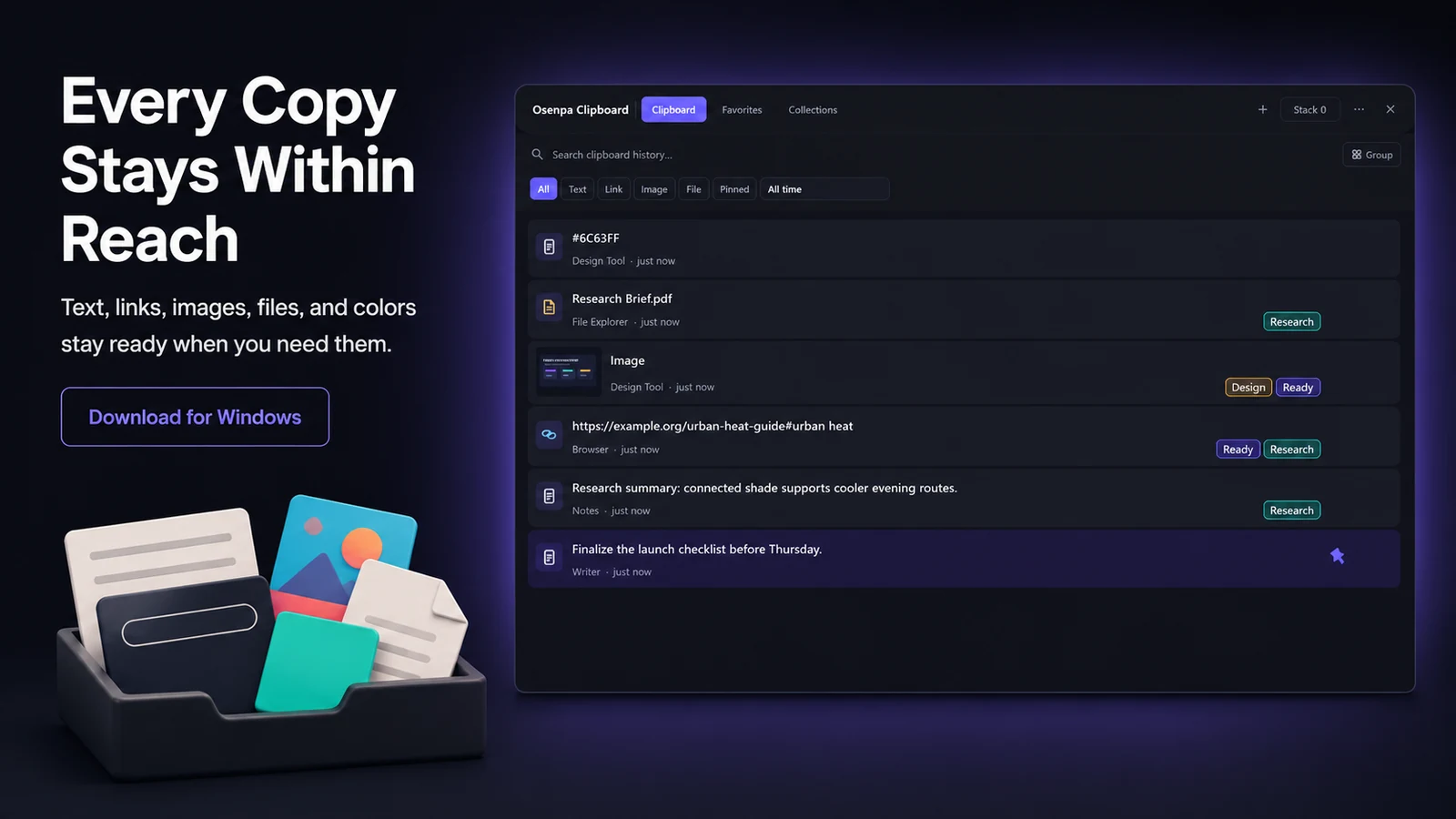
These previews show the main clipboard tools. Storage, privacy, and encryption details are explained below.
Osenpa Clipboard Manager saves supported clipboard items in a local searchable history. Regular history is not encrypted, so set the retention and privacy rules before you begin. Use Pause when a copying session should not be recorded, and use Locked Notes only for selected text that needs encrypted storage.
Search text, links, images, file selections and other supported items by words, exact phrases, exclusions, source application, type, domain, tag, size or date.
Pin items, keep lasting copies in Favorites, add tags and build Smart Collections without turning every old clip into permanent clutter.
Put text, links, images and files into Clipboard Stack, arrange their order and prepare or paste each item without losing your place.
Store selected text in Locked Notes, a separate encrypted area protected by a PIN or passphrase. Regular history remains outside that area.
Choose it for your own searchable clipboard history, copied-file tracking, and repeatable paste sequences on one Windows PC.
Choose a team, cloud-sync, data loss prevention (DLP) or password-management product when policy enforcement, cross-device access or shared administration is required.
Scroll the table horizontally on a narrow screen.
| Need | Windows Win+V | Osenpa Clipboard |
|---|---|---|
| Recent clips | Built-in starting point | Stored under the configured local policy |
| Search and organization | Pinning is supported; search is not documented in the cited Windows workflow | Search, details, pins, Favorites, tags and Smart Collections |
| Paste in sequence | Manual selection | Clipboard Stack and reusable Stack Profiles |
| Encrypted storage | Not described as a separate notes area in the linked Microsoft guide | Locked Notes only |
| Cloud, team or DLP controls | Depends on separate Windows services and policy | Not provided by Osenpa |
Product facts and standalone file verified August 31, 2026.
Choose how long regular clips should remain and how many unpinned history items are useful. The time rule can be disabled, and both controls can be changed later.
Test application exclusions, private-window detection, built-in sensitive patterns or a custom regular expression with harmless sample text. Use Pause for copying sessions that should not enter history at all.
Pin short-lived important items, save lasting copies in Favorites, add tags or Smart Collections, and place a known sequence in Clipboard Stack.
See the portfolio-level explanation in Network & data.
The gallery covers history, search, Locked Notes, reusable items, image handling and local settings.

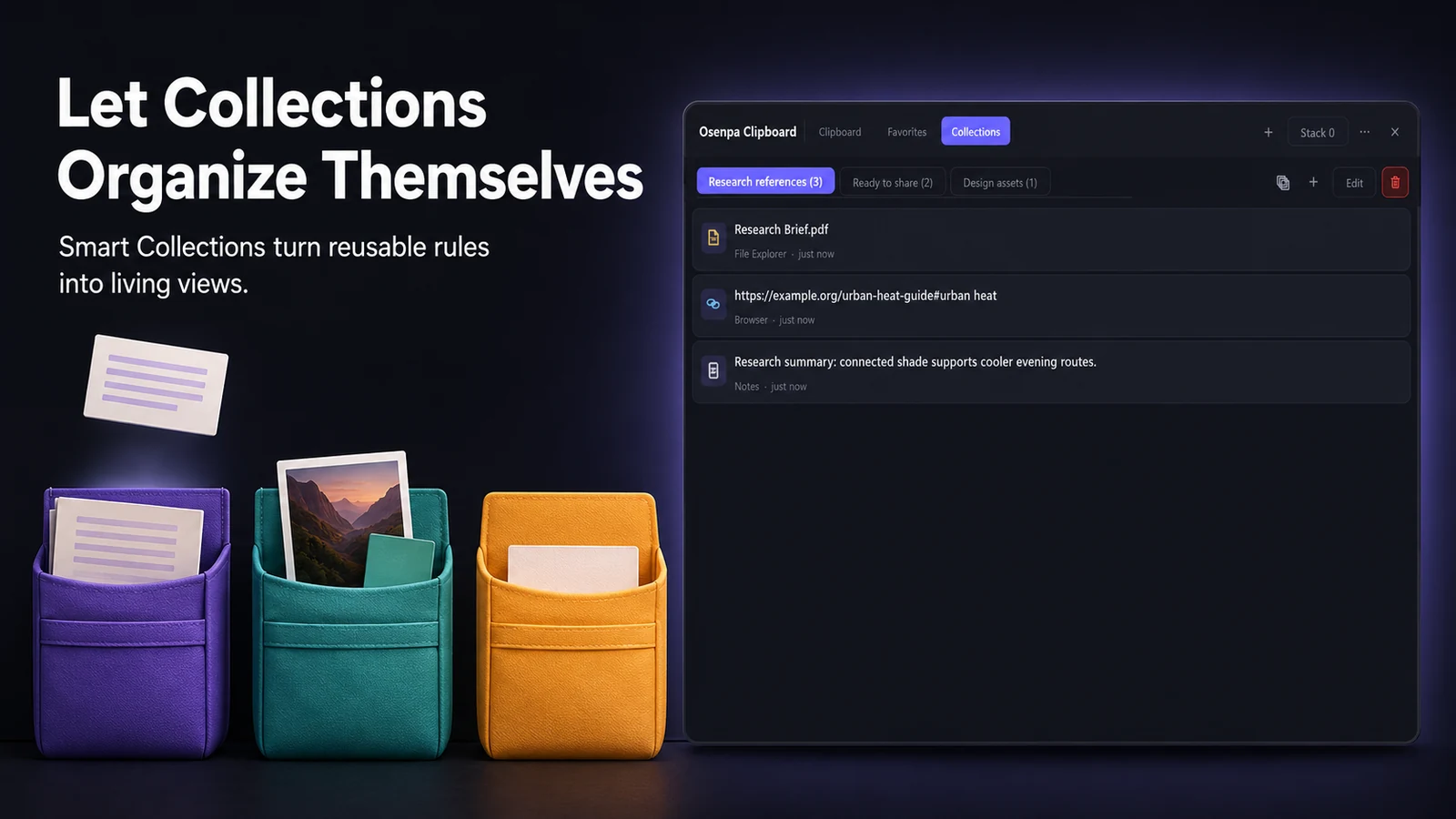
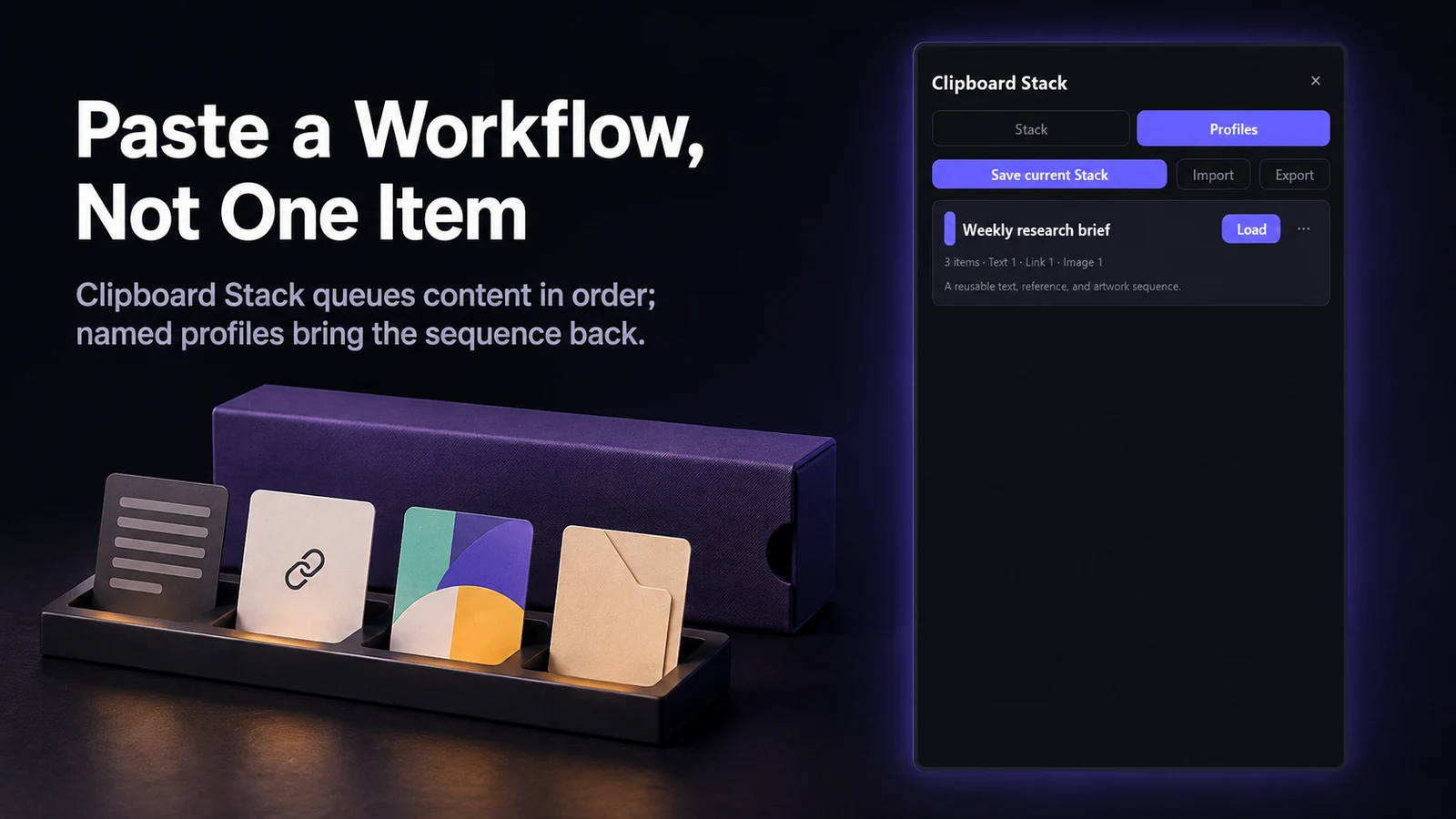
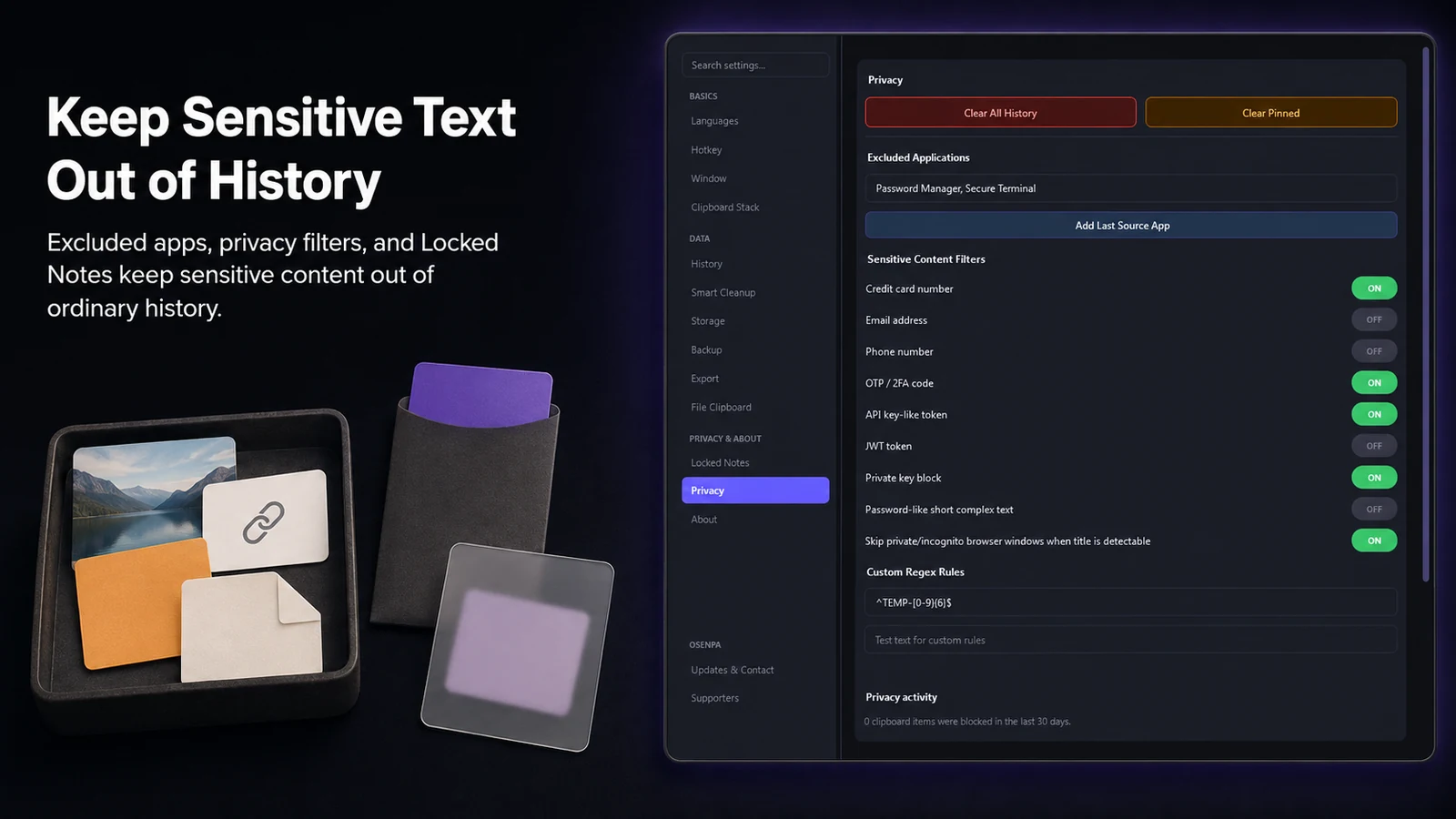
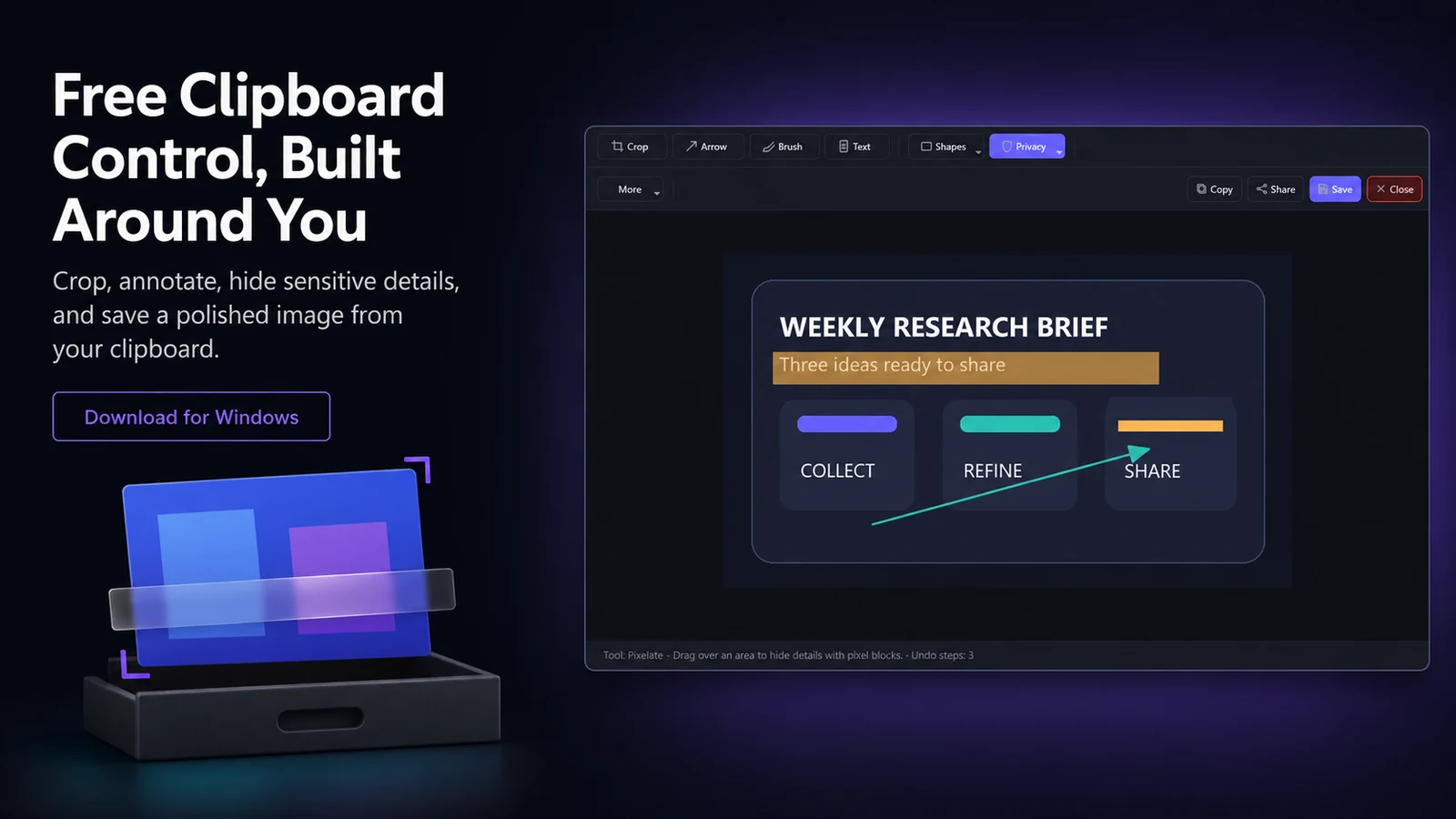
For Osenpa Clipboard, use Microsoft Store for the recommended install and update path. The standalone EXE and verification guidance remain below.
System: Osenpa Clipboard runs on x64 Windows 10 version 2004 (build 19041) or later, including Windows 11
Direct download for Windows
Windows SmartScreen checks publisher and reputation information for downloaded EXE files. If Windows shows a notice, confirm that you used the download link on this page before continuing. Understand Windows download notices.
File: Osenpa-Clipboard-Manager-Setup-2.0.1.exe
Size: 36,094,375 bytes (34.42 MiB)
Authenticode: Not signed
83992b78a3866b193f06264f440b3138549f5f0bf55eea93a56360c3616167eeVerified August 31, 2026 with two local hashing tools. A match confirms identical bytes; it does not add a publisher signature or guarantee that a file is safe.
View this SHA-256 on VirusTotalDownload the file from an official link, then compare its name, size, and SHA-256 with the values above. The illustrated SHA-256 guide shows every step.
Use the primary link above first. These sources provide the same verified release file.
No. Regular clipboard history is stored in a local SQLite database and is not encrypted. Locked Notes is the separate encrypted area.
By default, regular unpinned history is removed after 24 hours or when the list reaches 1,000 items. In Settings, you can turn time-based deletion off or choose 1 to 360 hours, and set the cap anywhere from 100 to 100,000. Pins and Favorites are excluded from routine cleanup, so the total stored count can be higher than the history cap.
Non-file content larger than 15 MiB is not retained. File snapshots use a separate setting with Off, 10, 25, 70 and 150 MiB choices; 70 MiB is the default.
No. The encrypted Locked Notes PIN cannot be recovered if it is forgotten.
No. The app does not provide cloud sync, cross-device history or team sharing.
Privacy filters can exclude selected applications, skip a private browser window when its title can be detected, match built-in sensitive-text patterns or apply a custom regular expression. Filters are off by default. Pause is the safer choice for a whole session that should not be recorded.
A saved path reference can break when the source is moved or deleted. A file snapshot remains available only if it was created and still exists on local storage.
Prepare Next only places the current item on the Windows clipboard. The optional direct-paste hotkey sends Ctrl+V to the foreground application. If that paste is blocked or fails, the queue does not advance.
No. The current Stack session is restored when the app opens again. A Stack Profile creates a named reusable copy and can replace or append to the current queue when loaded.
Automatic backup stays off until you choose a folder. You can set an interval from 1 to 168 hours and retain 1 to 30 backup copies. Locked Notes remains encrypted in a backup, and a restore is checked before it replaces current data.